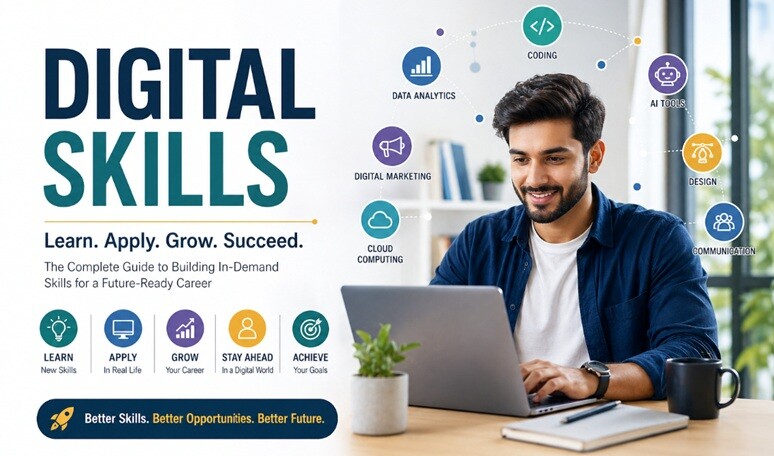
You can no longer rely on experience alone to grow and remain relevant in your career.
Industries are evolving rapidly. Technology is changing how work is performed, businesses are adopting new digital processes, and tasks that once required manual effort are increasingly supported or automated by software and artificial intelligence.
In this environment, one capability has become increasingly important across almost every profession:
Digital skills.
Digital skills are no longer limited to programmers, IT professionals, or technology specialists. Marketing professionals use analytics and automation. Finance teams rely on digital platforms and data. Healthcare professionals use digital systems. Teachers use online learning technologies. Managers use collaboration, communication, and productivity platforms every day.
The specific tools may change, but the ability to learn, understand, and use technology effectively has become an important professional capability.
Professionals who continuously develop relevant digital skills can improve their efficiency, adapt to changing requirements, solve problems more effectively, and access new career opportunities.
This guide will help you:
- Understand what digital skills mean in the modern workplace
- Identify the most important categories of digital skills
- Understand technical, analytical, automation, and communication skills
- Build a structured digital-skills learning plan
- Apply digital skills to real-world problems
- Use digital skills to support career growth
- Avoid common mistakes when learning technology
- Build a sustainable system for continuous digital learning
This guide is the cornerstone of the InPeaks Digital Skills Hub, where you can explore additional resources on technology, digital tools, AI, analytics, automation, and professional development.
What Are Digital Skills in the Modern World?
Digital skills are the abilities required to use technology, digital tools, platforms, and information effectively to perform tasks, communicate, solve problems, and create value.
They go far beyond basic computer knowledge.
Modern digital skills can include:
- Using software and digital tools efficiently
- Working with cloud-based platforms
- Communicating and collaborating online
- Understanding data and analytics
- Using automation tools
- Working with AI-powered applications
- Creating and managing digital content
- Understanding cybersecurity and digital safety
- Using digital platforms relevant to your profession
A useful way to think about digital skills is that they combine technology knowledge with practical application.
Knowing that a tool exists is not the same as knowing how to use it effectively.
For example, a professional may know that spreadsheet software can analyze data. A digitally capable professional can organize data, use formulas, create useful visualizations, identify patterns, and use the resulting information to support decisions.
That difference between knowing about technology and using technology effectively is important.
Why Digital Skills Matter More Than Ever
Digital Transformation Is Changing Work
Organizations across industries are adopting digital tools to improve efficiency, communication, customer experiences, and decision-making.
This has created:
- More technology-driven workflows
- Greater dependence on digital platforms
- More data-driven decision-making
- Increased use of automation
- New technology-enabled roles
- Changing expectations for existing roles
As a result, professionals increasingly need to understand how technology affects the work they perform.
Digital Skills Are Needed Beyond IT
Digital capability is not restricted to technical careers.
It is relevant to:
- Marketing
- Finance
- Healthcare
- Education
- Human resources
- Operations
- Sales
- Management
- Entrepreneurship
- Customer service
The depth of knowledge required differs by profession, but the underlying need to work effectively with technology is widespread.
Digital Skills Can Improve Productivity
The right digital tools can reduce repetitive work, improve organization, make information easier to access, and help professionals communicate more efficiently.
For example, automation can reduce repetitive administrative work while analytics can make large amounts of information easier to interpret.
Digital skills therefore connect closely with productivity and performance.
Digital Skills Can Support Career Mobility
Developing relevant digital skills can help professionals move into new responsibilities, change career directions, or qualify themselves for roles requiring stronger technology capabilities.
However, digital skills should not be viewed as a guaranteed path to a higher salary or promotion. Their value depends on relevance, proficiency, professional experience, and the ability to apply them to meaningful problems.
Digital Skills Support Adaptability
Technology will continue to evolve.
Learning one particular tool is therefore not enough. A stronger long-term strategy is to develop the ability to learn new tools and understand new technologies quickly.
The most future-ready digital skill may be the ability to keep learning.
The Core Pillars of Digital Skills Development
Digital skills can be grouped into several broad areas.
- Technical digital skills
- Digital literacy
- Data and analytical skills
- Automation and AI skills
- Digital communication and collaboration
- Digital security and responsible technology use
1. Technical Digital Skills
Technical digital skills are specialized abilities related to the technology used in a particular role or industry.
Examples include:
- Programming and coding
- Data analysis
- Website development
- Digital marketing platforms
- Financial and business software
- Database technologies
- Cloud platforms
- Software testing
The right technical skills depend heavily on your career direction.
How to Build Technical Skills
- Identify the technologies relevant to your role.
- Understand the fundamentals.
- Choose structured learning resources.
- Practice regularly.
- Build small projects.
- Apply the knowledge to real problems.
- Review and improve your work.
For example, someone interested in software development may begin with programming fundamentals before moving into frameworks, databases, testing, and deployment.
2. Digital Literacy
Digital literacy is the ability to use common digital tools and platforms effectively, safely, and confidently.
It forms the foundation for more advanced digital capabilities.
Key Areas of Digital Literacy
- Email and communication tools
- Cloud storage
- Document and spreadsheet applications
- Video conferencing
- Collaboration platforms
- File management
- Online research
- Digital calendars
- Basic cybersecurity practices
Why Digital Literacy Matters
Weak digital literacy can lead to:
- Slower workflows
- Communication problems
- Difficulty collaborating
- Higher risk of errors
- Difficulty adopting new tools
Strong digital literacy creates the foundation for more advanced professional technology skills.
3. Data and Analytical Skills
Data has become an important part of decision-making across many industries.
Digital professionals increasingly need to understand how to find, interpret, organize, visualize, and communicate information from data.
Key Data Skills
- Understanding metrics and KPIs
- Basic data analysis
- Spreadsheet analysis
- Data visualization
- Interpreting charts and dashboards
- Identifying trends
- Data-driven decision-making
Practical Applications
Different professionals can use data in different ways.
- Marketers can analyze campaign performance.
- Managers can monitor business metrics.
- Sales teams can study customer and revenue data.
- Finance teams can analyze financial performance.
- Operations teams can identify process inefficiencies.
The goal is not necessarily to become a data scientist.
The goal is to develop enough data literacy to make better decisions in your own professional context.
4. Automation and AI Skills
Automation and artificial intelligence are changing how many tasks are performed.
Professionals do not necessarily need to become AI engineers to benefit from these technologies.
They should understand where AI and automation can responsibly improve their own workflows.
Potential Benefits
- Reducing repetitive work
- Saving time
- Improving consistency
- Supporting research and analysis
- Generating drafts and ideas
- Improving workflow efficiency
Examples of Automation Skills
- Workflow automation
- AI-assisted productivity
- Automated reporting
- Process automation
- AI-assisted content creation
- Connecting digital applications
AI should be treated as a tool that requires judgment. Professionals should verify important outputs, protect confidential information, and understand the limitations of AI-generated results.
5. Digital Communication and Collaboration
Modern professionals often work across locations, teams, and time zones.
Digital communication skills therefore matter alongside technical skills.
Important capabilities include:
- Writing effective professional emails
- Using collaboration platforms
- Participating effectively in virtual meetings
- Sharing documents correctly
- Managing digital conversations
- Communicating clearly in remote environments
- Organizing information for team members
Technology can make communication faster, but it does not automatically make communication clearer.
Strong digital professionals understand both the tool and the communication principles behind it.
6. Digital Security and Responsible Technology Use
Digital capability also includes understanding how to use technology safely and responsibly.
Basic areas include:
- Using strong passwords
- Understanding phishing risks
- Protecting sensitive information
- Using appropriate access controls
- Keeping software updated
- Understanding privacy settings
- Following organizational security policies
You do not need to be a cybersecurity specialist to develop good digital-security habits.
Basic digital safety should be part of every professional’s digital skill set.
The InPeaks D.I.G.I.T.A.L. Framework
Learning digital skills is more effective when it follows a structured process.
The InPeaks D.I.G.I.T.A.L. Framework provides a simple seven-step approach:
D — Discover Relevant Skills
Identify the digital skills that matter for your current role or future career direction.
Ask:
- What technology is used in my industry?
- What skills are appearing in relevant job descriptions?
- What tasks could technology help me perform better?
I — Invest in Learning
Once you identify a useful skill, dedicate time and effort to learning it.
Use:
- Courses
- Documentation
- Books
- Industry resources
- Practical tutorials
- Professional communities
Choose resources that match your current level.
G — Gain Practical Experience
Knowledge becomes more valuable when you can apply it.
Build projects, solve problems, experiment with tools, and use the skill in realistic situations.
I — Improve Continuously
Technology changes quickly.
Don’t assume that learning a tool once means your learning is finished.
Review new features, changing practices, and developments that are relevant to your work.
T — Track Your Progress
Measure your learning.
Track:
- Skills learned
- Projects completed
- Problems solved
- Certifications earned
- Professional applications
A — Apply in Real Work
Whenever possible, use your new skills in real professional situations.
This helps you understand practical limitations and builds experience.
L — Leverage Opportunities
Use your growing capabilities to take on appropriate projects, responsibilities, collaborations, and career opportunities.
The complete cycle is:
Discover → Invest → Gain → Improve → Track → Apply → Leverage
Step-by-Step Digital Skills Roadmap
Step 1: Identify Your Skill Gaps
Start with an honest assessment of your current capabilities.
Compare:
- Your current skills
- Your career goals
- The requirements of your target role
- The technologies used in your industry
The gap between your current capabilities and your desired capabilities becomes your learning roadmap.
Step 2: Choose High-Value Skills
Don’t attempt to learn everything.
Choose skills that:
- Are relevant to your career
- Are useful in your current or target role
- Can solve meaningful problems
- Support your longer-term goals
Step 3: Create a Learning Plan
Turn your learning objective into a schedule.
For example:
- 30 minutes of learning on weekdays
- One practical exercise each week
- One small project each month
- A monthly review of progress
Consistency is usually more sustainable than attempting to learn everything in a short period.
Step 4: Practice and Apply
Learning without application can create familiarity without proficiency.
Apply what you learn by:
- Building projects
- Solving real problems
- Improving an existing workflow
- Creating examples
- Building a portfolio
Step 5: Build Professional Visibility
If appropriate for your career, demonstrate what you can do.
- Share projects
- Publish useful insights
- Contribute to professional communities
- Showcase your portfolio
- Discuss practical results during interviews
Skills become more valuable when other people can understand the problems you can solve with them.
Step 6: Keep Updating Your Skills
Digital learning should be continuous.
Schedule periodic reviews to determine whether your current skills remain relevant.
Common Mistakes in Digital Skills Development
Learning Without Application
Watching tutorials, reading articles, and completing courses can create knowledge, but practical application is essential for developing usable skills.
Instead:
- Build projects
- Practice regularly
- Solve realistic problems
- Apply skills at work where appropriate
Trying to Learn Everything
The digital world contains thousands of tools, platforms, languages, frameworks, and technologies.
Trying to learn everything can lead to shallow knowledge and constant switching.
Instead:
- Choose one or two high-value skills
- Build foundational competence
- Apply the skills before expanding
Ignoring Fundamentals
Advanced tools cannot compensate for weak fundamentals.
Instead:
- Understand core concepts
- Learn why a technology works
- Understand basic terminology
- Build fundamentals before chasing advanced features
Lack of Consistency
Learning for several hours once a month is usually less sustainable than a manageable learning routine.
Instead:
- Set a regular schedule
- Learn in small sessions
- Track progress
- Review what you have learned
Avoiding New Technologies
Technology does not need to be adopted simply because it is new. But completely avoiding relevant developments can create skill gaps.
Instead:
- Stay curious
- Understand emerging technologies
- Experiment selectively
- Evaluate whether a technology is relevant to your goals
Collecting Certifications Without Practical Skills
Certifications can demonstrate structured learning, but a certificate alone does not necessarily prove practical proficiency.
Instead:
- Combine learning with projects
- Build practical experience
- Document what you have actually created or improved
Tools and Strategies for Digital Skills Growth
Learning Resources
Use a combination of structured and practical resources:
- Online courses
- Official documentation
- Industry blogs
- Case studies
- Books
- Professional communities
- Practical projects
Official documentation is particularly useful when learning how a specific technology actually works.
Productivity Tools
Use digital tools to organize the learning process:
- Task-management applications
- Note-taking systems
- Calendars
- Project-management tools
- Cloud storage
The objective is not to collect tools. It is to create a simple system that makes learning easier to maintain.
SMART Goals
Use specific and measurable learning objectives.
Instead of:
“I want to learn data analytics.”
Try:
“I will complete a structured introductory data-analysis course and build two practical projects within the next eight weeks.”
80/20 Principle
Identify the small number of skills that are likely to create the greatest value for your current goals.
Don’t spend equal time learning technologies that have very different levels of relevance to your career.
Learning Cycle
A simple cycle can keep digital learning practical:
Learn → Apply → Review → Improve
Repeat the cycle instead of treating learning as something that ends when a course is completed.
Real-World Digital Skills Examples
Example 1: Marketing Professional
A marketing professional develops skills in analytics and digital marketing platforms.
They use those skills to understand campaign performance and identify opportunities for improvement.
Potential outcomes:
- Better campaign analysis
- More informed decisions
- Greater professional capability
Example 2: Career Switcher
A professional from a non-technical background decides to move toward a technology-related role.
They identify the skills required for their target role, follow a structured learning plan, and build practical projects.
Potential outcomes:
- New technical capabilities
- A stronger portfolio
- Greater readiness for relevant opportunities
Example 3: High-Performing Employee
A professional identifies repetitive administrative tasks that consume significant time.
They learn appropriate automation tools and redesign the workflow.
Potential outcomes:
- Less repetitive work
- More time for higher-value activities
- Improved workflow efficiency
Digital Skills by Career Stage
Early Career: 0–5 Years
Early in your career, focus on developing a broad digital foundation.
Focus on:
- Digital literacy
- Office and collaboration tools
- Professional communication
- Role-specific software
- Basic data skills
- Digital security
Goal: Build a strong digital foundation.
Mid-Career: 5–15 Years
At mid-career, focus increasingly on using technology to improve performance and create professional leverage.
Focus on:
- Advanced tools
- Data and analytics
- Automation
- AI-assisted workflows
- Digital project management
- Technology-enabled problem solving
Goal: Increase efficiency, expertise, and professional impact.
Senior Career: 15+ Years
Senior professionals should focus less on mastering every new tool and more on understanding how technology can improve decisions, teams, processes, and business outcomes.
Focus on:
- Strategic use of technology
- Data-informed decision-making
- Digital transformation
- Technology strategy
- Leading technology adoption
- Helping teams develop digital capability
Goal: Use technology to create strategic and organizational impact.
Advanced Digital Skills Strategies
Skill Stacking
You do not always need to become the world’s best expert in one technology.
Combining complementary skills can create a distinctive professional profile.
Examples include:
- Marketing + Analytics
- Finance + Automation
- Content + SEO
- Sales + CRM Technology
- Project Management + Data Analysis
- Healthcare + Digital Systems
The value comes from how effectively the skills work together.
Build a Continuous Learning System
Make learning part of your normal routine rather than something you do only when your employer requires it.
A simple system could include:
- 30–60 minutes of learning several times a week
- One practical project each month
- A monthly review of relevant technology developments
- A quarterly review of your skill gaps
Build Digital Visibility
If appropriate, demonstrate your capabilities through useful work.
- Share projects
- Write practical insights
- Build a portfolio
- Contribute to professional discussions
- Demonstrate measurable improvements
Visibility should support credibility rather than simply promote activity.
Leverage Digital Skills for Opportunity
Once you develop relevant skills, look for opportunities to apply them.
You might:
- Take on a new project
- Improve an existing process
- Volunteer for technology-related work
- Help your team adopt a useful tool
- Build a portfolio project
- Explore a career transition
How to Choose Which Digital Skills to Learn
One of the biggest challenges is deciding what to learn first.
Use four questions:
- Is this skill relevant to my career?
- Will it solve a real problem?
- Is it likely to remain useful beyond a single tool?
- Can I realistically become competent at it?
You can then classify skills into three groups:
- Learn now: High relevance and immediate usefulness
- Explore later: Potentially useful but not currently essential
- Ignore for now: Low relevance to your current goals
This prevents the common mistake of chasing every new technology trend.
Digital Skills and AI
Artificial intelligence is becoming an increasingly important part of the digital workplace.
However, AI capability should not be reduced to knowing how to write prompts.
A stronger AI-related digital skill set includes:
- Understanding what AI tools can and cannot do
- Writing clear instructions
- Evaluating AI-generated information
- Checking outputs for errors
- Protecting confidential information
- Integrating AI into appropriate workflows
- Knowing when human judgment is necessary
The most valuable combination is often domain knowledge + digital skills + human judgment.
Professionals who understand their field and know how to use technology appropriately can often create more value than professionals who simply know how to operate a tool.
Digital Skills and Career Growth
Digital skills can support career development in several ways.
They Can Increase Your Capability
Technology can help you perform certain tasks more efficiently and handle more complex information.
They Can Improve Your Problem-Solving Ability
Digital tools can help you analyze information, automate processes, visualize data, and explore solutions.
They Can Create New Career Directions
Developing new capabilities can make it easier to explore adjacent roles or industries.
They Can Increase Your Adaptability
Technology changes continuously. Learning how to learn new tools can be more valuable than relying on one specific application indefinitely.
For a broader approach to professional development, explore the InPeaks Career Growth Hub.
A 90-Day Digital Skills Development Plan
If you want to turn this guide into action, use a simple 90-day plan.
Days 1–30: Discover and Learn
- Identify your biggest digital skill gaps.
- Choose one primary skill.
- Choose reliable learning resources.
- Create a weekly learning schedule.
- Learn the fundamentals.
Days 31–60: Practice and Apply
- Complete practical exercises.
- Build a small project.
- Apply the skill to a realistic problem.
- Document what you learn.
- Identify areas where you need more practice.
Days 61–90: Demonstrate and Improve
- Complete a meaningful project.
- Improve your work based on feedback.
- Document measurable results where possible.
- Showcase your work appropriately.
- Choose the next skill to develop.
At the end of 90 days, you should have more than theoretical knowledge. You should have evidence of practical application.
Frequently Asked Questions About Digital Skills
What are digital skills?
Digital skills are the abilities required to use technology, digital tools, platforms, and information effectively for work, communication, problem-solving, and other practical purposes.
Why are digital skills important today?
Technology is increasingly integrated into professional workflows across industries. Digital skills can help professionals work more effectively, adapt to changing requirements, and access relevant opportunities.
Which digital skills should I learn first?
Start with digital literacy and the tools most relevant to your current role or career goal. Then develop role-specific capabilities such as analytics, automation, AI, programming, digital marketing, or other specialized skills as appropriate.
How long does it take to learn digital skills?
It depends on the skill, your starting point, the amount of time you invest, and how much practical experience you gain. Basic proficiency can develop relatively quickly, while advanced expertise generally requires much longer practice and application.
Can digital skills help with career growth?
Yes. Relevant digital skills can improve your ability to perform work, adapt to technology changes, solve problems, and pursue roles requiring those capabilities.
Should I learn many digital skills at once?
Usually, it is more effective to focus on one or two high-value skills at a time. Build useful proficiency before expanding into additional areas.
Is learning digital tools enough?
No. Understanding the tool is only part of digital capability. You also need to understand how and when to apply it to real problems.
Are certifications necessary for digital skills?
Certifications can demonstrate structured learning and may be useful for certain roles, but practical ability and relevant experience are also important.
How can I stay updated with digital skills?
Follow relevant industry developments, review new technologies periodically, learn continuously, practice new capabilities, and focus on developments that are relevant to your career rather than trying to follow every trend.
What is the most important digital skill for the future?
There is no single digital skill that will be most important for every profession. However, the ability to learn new technologies, evaluate them critically, and apply them effectively is likely to remain valuable.
Conclusion: Build Your Digital Advantage
Digital skills have become an important part of modern professional life.
You do not need to master every technology. You do not need to become a programmer. And you do not need to chase every new technology trend.
Instead, focus on developing the digital capabilities that are relevant to your goals.
Start with strong fundamentals.
Learn relevant tools.
Practice through real projects.
Apply what you learn.
Measure your progress.
Continue updating your skills.
The InPeaks D.I.G.I.T.A.L. framework provides a simple way to maintain that process:
Discover → Invest → Gain → Improve → Track → Apply → Leverage
The ultimate goal is not simply to collect digital skills.
It is to become a professional who can understand technology, learn continuously, solve problems effectively, and use digital tools to create meaningful results.
Your digital advantage comes from what you can learn, what you can apply, and the value you can create with technology.
Continue Your Digital Skills Journey
This guide is the cornerstone of the InPeaks Digital Skills topic.
Continue exploring practical resources on technology, tools, AI, analytics, automation, and professional digital development through the Digital Skills Hub: Tools, Technology & Skills for Future-Ready Success.
Learn relevant skills. Apply them to real problems. Keep adapting. Build your digital advantage.