
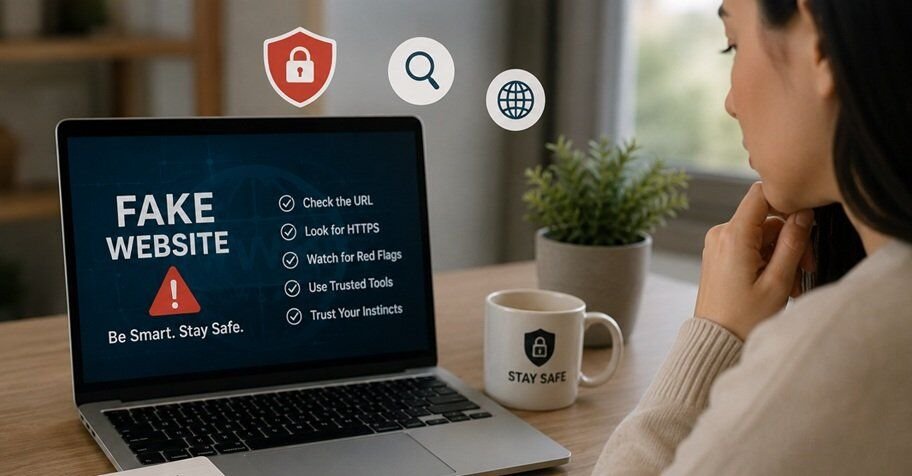
Have you ever landed on a website and just felt like something was “off” about it? Maybe the deal was too good to be true, or the design looked a little cheap. That gut feeling is worth listening to. In 2026, scammers have gotten smarter, and fake websites look more convincing than ever before. The good news is that with a few simple habits, you can learn to identify fake websites before they cost you money, data, or peace of mind.
This guide walks you through everything you need to know: the warning signs, the free tools you can use, and the step-by-step habits that keep you safe while browsing.
Why Learning to Identify Fake Websites Matters More Than Ever
Online shopping, banking, and even job hunting now happen almost entirely on the web. That convenience comes with a downside. Cybercriminals build fake online stores, cloned banking pages, and phishing sites that look almost identical to the real thing. Some of these sites even show up on the first page of search results through paid ads.
A few years ago, fake websites were easy to spot because of bad grammar and broken images. Today, many are built using stolen templates and AI-generated content, which makes them harder to catch just by looking. That’s why knowing how to verify a website properly, rather than just trusting your first impression, has become an essential skill.
Common Warning Signs of a Fake Website
Before diving into tools, it helps to know the suspicious website warning signs that should make you pause:
- Prices that feel unrealistic — a designer bag at 80% off with free worldwide shipping is a classic bait tactic used by fake online stores.
- Pressure and urgency — countdown timers, “only 2 left in stock,” or “offer ends in 10 minutes” messages are designed to stop you from thinking twice.
- No contact information — legitimate businesses list a real address, phone number, or support email.
- Poor checkout experience — redirects to unfamiliar payment gateways, or a request to pay only through wire transfer or cryptocurrency, is a major red flag.
- Spelling and grammar issues — while AI has reduced this problem, many scam sites still contain awkward phrasing, especially in product descriptions or policy pages.
- Recently created domain — a store claiming to be “trusted since 2005” but registered two months ago is an immediate red flag.
Spotting even two or three of these signs at once is usually enough reason to leave the site and shop elsewhere.
Step 1: Check the Website’s Domain with a WHOIS Domain Lookup
One of the fastest ways to verify a website is running a WHOIS domain lookup. This free tool shows you when a domain was registered, who owns it (if not hidden), and how long the registration is valid for.
Here’s what to look for:
- Domain age — a business claiming years of experience should have a domain that matches. A brand-new domain paired with big promises is a warning sign.
- Registration length — Legitimate businesses usually register for several years.
- Hidden ownership — while privacy protection is common and not always suspicious on its own, combine it with other red flags for a fuller picture.
You can run a WHOIS lookup through sites like whois.domaintools.com or ICANN’s lookup tool in just a few seconds.
Step 2: Confirm SSL Certificate Verification
You’ve probably heard “look for the padlock icon,” and it’s still good advice, but it’s only part of the story. SSL certificate verification confirms that the connection between you and the website is encrypted, which protects your data in transit.
However, here’s an important 2026 reality: having SSL no longer automatically means a site is trustworthy. So use it as one signal, not the whole answer.
To do a proper check:
- Click the padlock icon next to the URL.
- View the certificate details.
- Check if the certificate matches the actual business name (Extended Validation certificates show this clearly).
- Confirm the certificate hasn’t expired.
If a site claims to be a major retailer but its certificate shows a completely unrelated or generic name, that’s a strong sign that something is wrong.
Step 3: Use a Website Legitimate Checker
A website legitimate checker analyzes multiple signals at once, like domain age, hosting location, blacklist status, and user reports, then gives you an overall verdict.
Some reliable options include:
- Google Safe Browsing Transparency Report — tells you if Google has flagged the site for malware or phishing.
- Scamadviser — combines WHOIS data, server location, and community reports into a simple trust rating.
- URLVoid — scans a domain against multiple blacklist engines simultaneously.
Running a suspicious link through one of these before entering any personal information takes less than a minute and can save you a major headache.
Step 4: Understand Website Trust Score Tools
A website trust score is essentially a rating, often from 0 to 100, that estimates how safe and legitimate a site is. These scores are calculated using a mix of factors:
- Domain age and registration history
- SSL certificate validity
- Presence on spam or phishing blacklists
- Server location and hosting reputation
- Volume and sentiment of user reviews
While no trust score is perfect, a very low score combined with other red flags (like unrealistic discounts) is a strong reason to stay away. Think of it as one more data point rather than a final verdict on its own.
Step 5: Watch for Phishing Website Detection Clues
Phishing sites don’t always try to sell you something. Often, they mimic a bank, delivery service, or well-known company to steal your login details. Here’s how phishing website detection works in practice:
- Check the actual URL carefully. Scammers use lookalike domains such as “arnaz0n.com” or “paypa1-secure.com” that are easy to miss at a glance.
- Hover before you click. On desktop, hovering over a link shows the real destination URL in the corner of your browser.
- Be suspicious of urgent emails or texts claiming your account is “locked” or “suspended,” directing you to click a link immediately.
- Never enter your password after clicking an email link. Instead, open the official site directly by typing the address yourself.
Banks and major platforms will never ask you to confirm your password through an emailed link, so treat any message like this as suspicious by default.
Step 6: Do a Complete Website Review Before Trusting It
Beyond WHOIS and SSL checks, a complete website review looks at the full experience:
- About Us page — does it explain who runs the business, or is it vague and generic?
- Return and refund policy — legitimate stores clearly state how returns work. Fake stores often have vague or copy-pasted policies.
- Reviews outside the website — search the brand name along with words like “reviews” or “scam” on Google or Reddit to see what other people say.
- Social media presence — check if their social accounts are active, have real followers, and show genuine engagement rather than bought likes.
- Payment options — trustworthy sites offer secure, well-known payment methods, not just wire transfers or gift cards.
Doing this kind of review takes a few extra minutes but is far less costly than losing money to a fake store.
Simple Habits for Secure Online Browsing
Beyond checking individual websites, building a few daily habits keeps you protected long term:
- Keep your browser updated — modern browsers automatically warn you about known malicious sites.
- Use a password manager — it won’t autofill your password on a fake lookalike site, which is itself a useful warning sign.
- Enable two-factor authentication wherever possible, so a stolen password alone isn’t enough to break in.
- Bookmark important sites like your bank or frequently used stores, and use those bookmarks instead of searching each time.
- Trust your instincts — if a deal feels too good, or a message feels too urgent, slow down and verify before acting.
Secure online browsing isn’t about being paranoid. It’s about building small checks into your routine so that spotting a fake site becomes second nature.
Quick Checklist: How to Verify a Website in Under 5 Minutes
Here’s a fast checklist you can run through whenever you’re unsure about a site:
- Run a WHOIS domain lookup to check domain age
- Confirm SSL certificate verification matches the business name
- Search the site through a website credibility checker
- Check its website trust score
- Look for suspicious website warning signs (urgency, unrealistic pricing, missing contact info)
- Search for independent reviews outside the site itself
- Confirm the URL is spelled exactly right, with no lookalike characters
If a site passes all of these checks, you can feel confident moving forward. If two or more raise concerns, it’s best to walk away.
Final Thoughts
Fake websites in 2026 are more polished and convincing than ever, but the way to protect yourself hasn’t changed much: slow down, check the details, and use the free tools available to verify what you’re seeing. Learning to identify fake websites isn’t about becoming a cybersecurity expert. It’s about building a habit of quick, simple checks, a WHOIS lookup here, an SSL check there, before you hand over your money or personal information.
The next time something online feels a little too good to be true, take five minutes to review it properly. That small pause could save you from a big problem.
You may also like to read,
- How to Protect Your Digital Identity and Prevent Online Fraud
- Documents Verification Online: Combating Identity Fraud in the Business World
- 7 Considerable Points to Help You Know Why Visitors Leave Your Website
- The Tools and Tech Behind Successful E-commerce Growth and the Key Elements


The guide does an excellent job breaking down the complexity of modern fraud detection into practical, bite‑size steps. I especially appreciate the emphasis on using WHOIS data and SSL checks before any transaction—these are quick, free actions that most users overlook despite being the most reliable early indicators of a counterfeit site. The added section on AI‑generated content is timely, as scammers now leverage sophisticated language models to mimic legitimate copy, making visual clues less trustworthy. Integrating a concise five‑minute checklist helps turn awareness into habit, which is essential for maintaining security in today’s hyper‑connected browsing environment. For readers looking to experiment with safe, AI‑driven visual tools, you might also explore AI Clothes Swap, which lets you preview outfits virtually without exposing personal data.